

AutoCQ for JTDX
Windows x64 · FT8 and FT4
AutoCQ answers queued calls and resumes CQ in FT8 and FT4. For Windows x64 and JTDX 2.2.160-32A-rc10 Win64.
Welcome to my website.
Software by UB3DQY for operating on the air and monitoring websites.
Windows x64 · FT8 and FT4
AutoCQ answers queued calls and resumes CQ in FT8 and FT4. For Windows x64 and JTDX 2.2.160-32A-rc10 Win64.
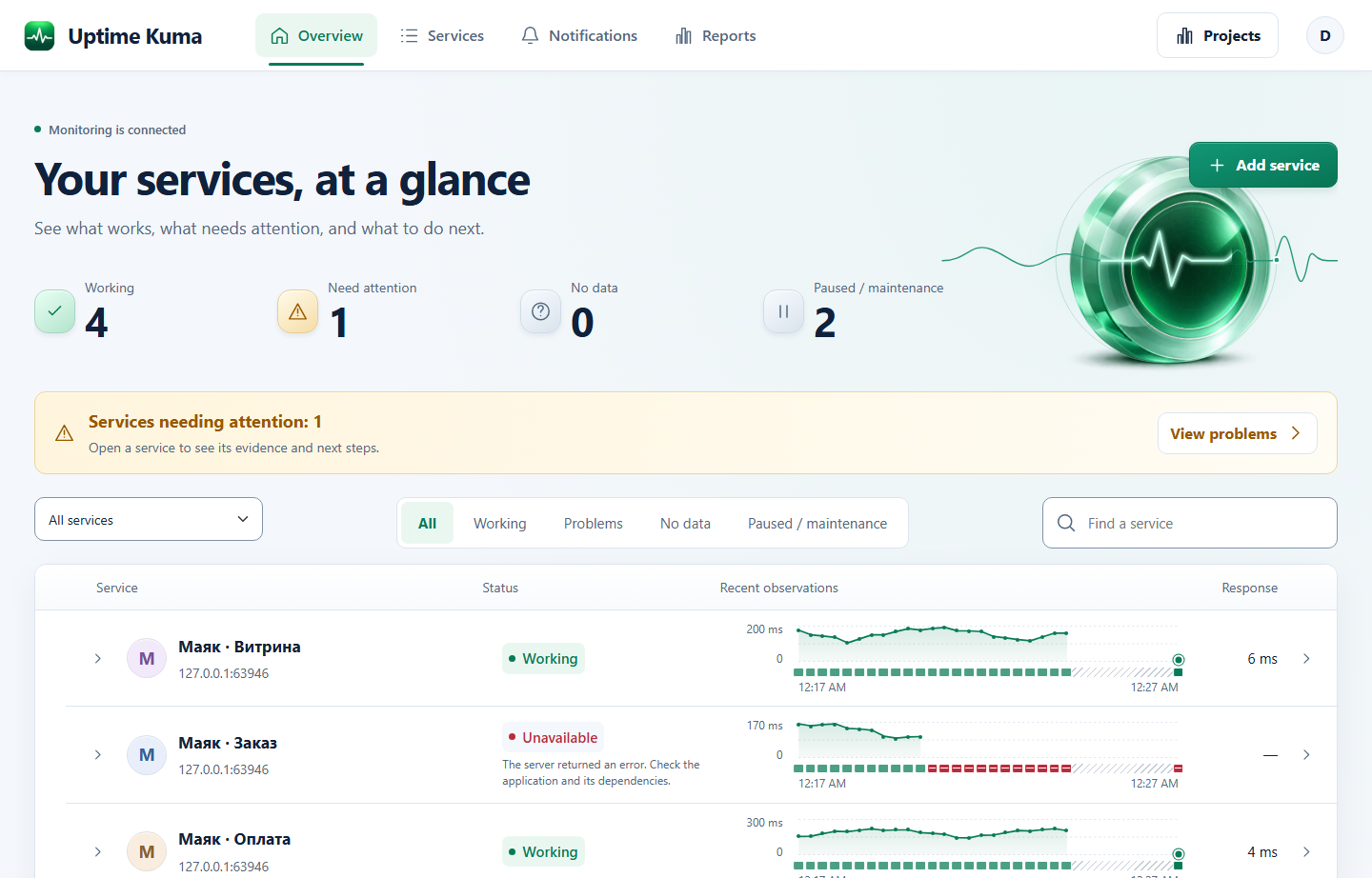
Docker · Linux x86‑64 · 2.5.8-ub3dqy.preview.3
Monitor sites and services on your own server with check history, outage alerts, and client reports.
Desktop browser extension · By UB3DQY · Version 1.4.1
Check, claim, and download awards from your HAMLOG account.
edge://extensions/ or chrome://extensions/. Enable Developer mode, click Load unpacked, and select the folder containing manifest.json.browser://tune and drag the downloaded CRX onto the page. Confirm installation.about:addons and go to Extensions. Click the gear icon, choose Install Add-on From File, open the downloaded XPI, and confirm the installation. The add-on stays installed after Firefox restarts.Starting with version 1.3.2, Firefox automatically installs new signed versions from GitHub when automatic add-on updates are enabled. If you have version 1.3.1 or a temporary installation, install the XPI from this page manually once.
To update in Edge or Chrome, extract the new ZIP to the same folder and click Reload on the extension card.
After installation, open your HAMLOG account and save your callsign in the extension settings.
Download links update automatically after new GitHub releases are verified.