

UB3DQY edition
Uptime Kuma
Website and service monitoring Monitor sites from your own server, get alerts when something fails, and see the history behind each check.
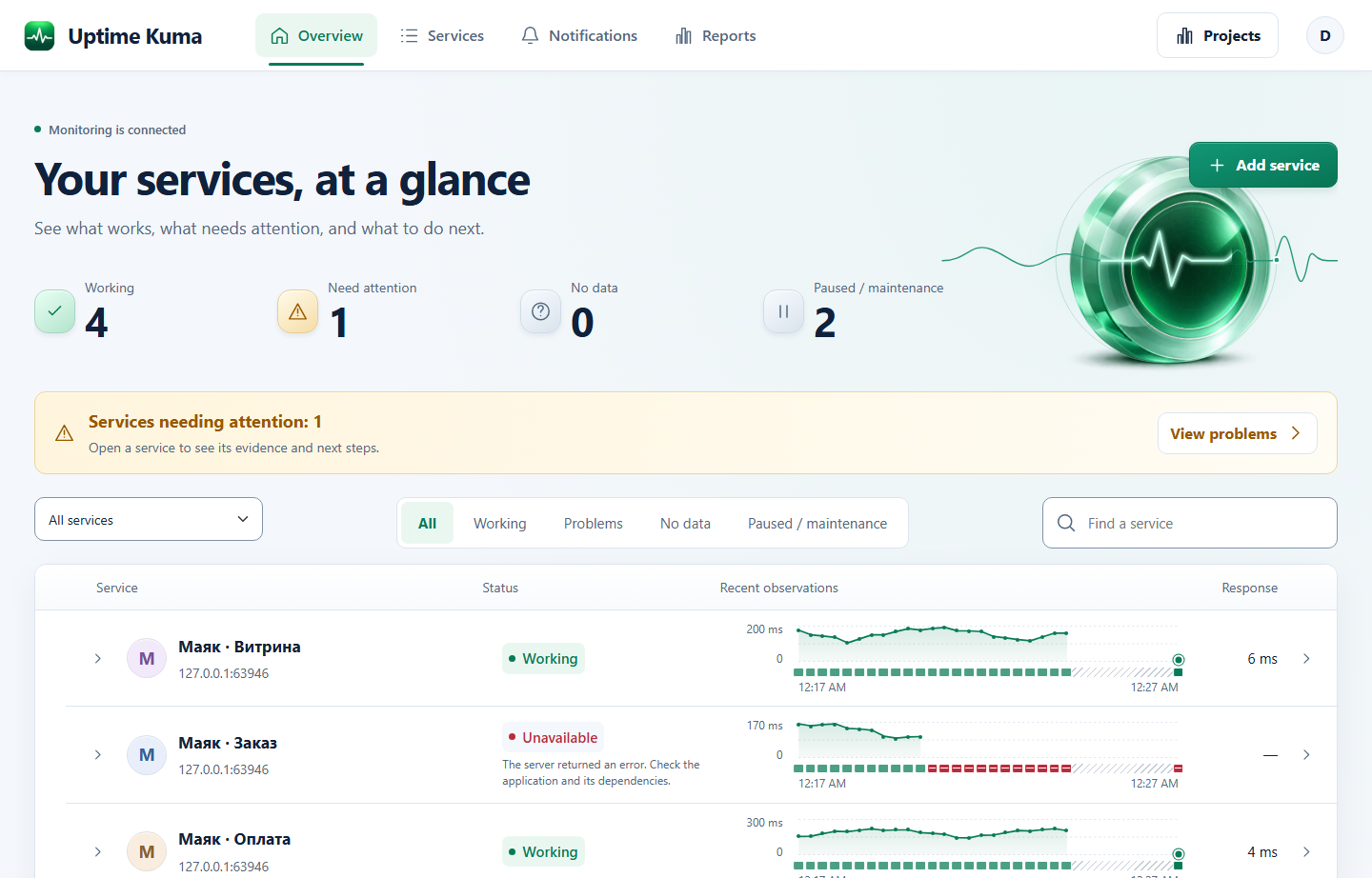
From outage to report
Spot a failure
Monitor availability and response times. Set up acknowledgement and backup email for important Telegram alerts.
Check from another network
Connect a second server to check the site from another network and see whether the failure happens there too.
Prepare a report
Group a client’s sites together. The report separates downtime, maintenance, and periods with no observations. Save it as a PDF or export check history to CSV.
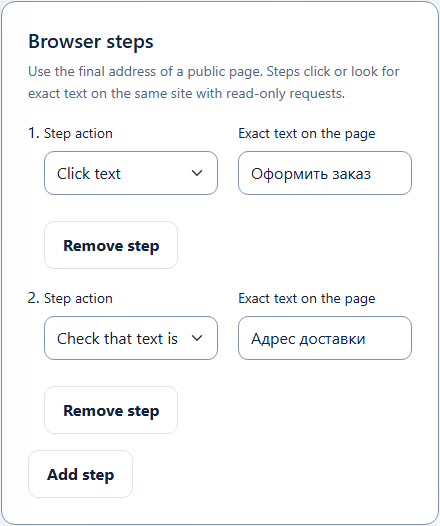
The home page works, but checkout fails
Kuma can open a shop in a browser, click “Checkout,” and look for “Delivery address.” If a step fails, it shows where it stopped and saves a screenshot.
Start with a safe check, such as following a link and looking for a heading.
Installation and setup
Preview 2.5.8-ub3dqy.preview.3 for Docker with Linux x86‑64 containers. All releases.
The screenshots and examples above show preview 2. See the selected release notes for its features.
-
Download the release
Download the archive and compare its checksum with the value in the SHA-256 file.
-
Run Kuma
Load the archive into Docker as shown in the guide. Use a separate installation with a fresh database for your first try.
Installation instructions -
Add your first site
Open the dashboard, choose SQLite, and create an administrator account. Add an HTTP(S) check and enter your site’s address.
Guides on GitHub
If you already run Kuma, test the upgrade on a copy of your data first. See the release page for build limitations.
An independent edition of Uptime Kuma by Louis Lam and contributors. MIT license.
Source code on GitHub